A list of samples is provided, provided by various past clients.
You can sort the list to help you find what you want.
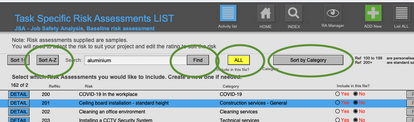
You can select a completed risk assessment and EDIT it or create a completely NEW one.

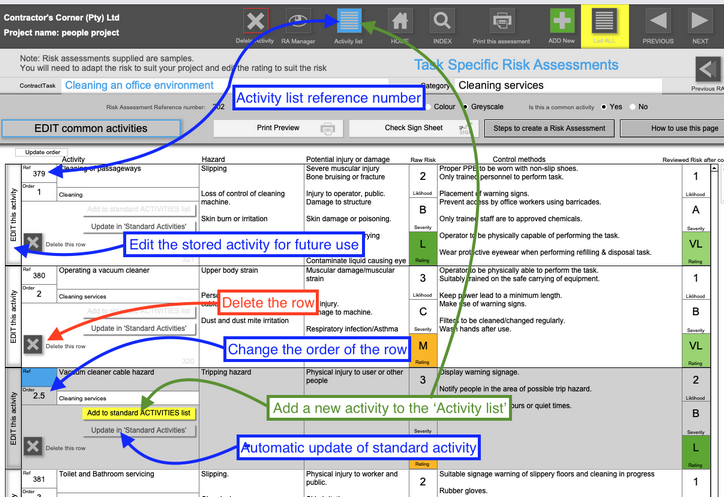
To add an activity to a row, click the BLUE button, which will take you to the ACTIVITY LIST where you can select an existing one.
You can also type from a blank row, and add your data.
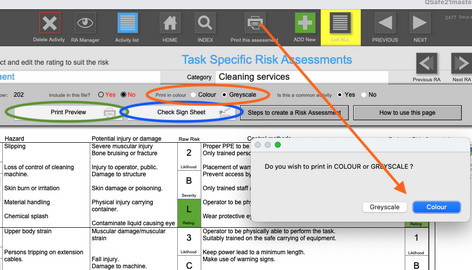
To print, you can preview the document, and its SIGN SHEET.
You can also choose to print in COLOUR or GREYSCALE.
Once a new row has been added, you have the Activity to your activity list from the buttons provided.
You can edit this at any time.
Tip: Try keep the text to within the block size.