Common practice if you are working on a site far away from you.
1. Create a folder.
2. Save each document to a folder.
TIP: When you print to PDF, and it asks for 'File name' - right click - the document name and index number will automatically appear.
3. Once complete, combine all documents to a folder.
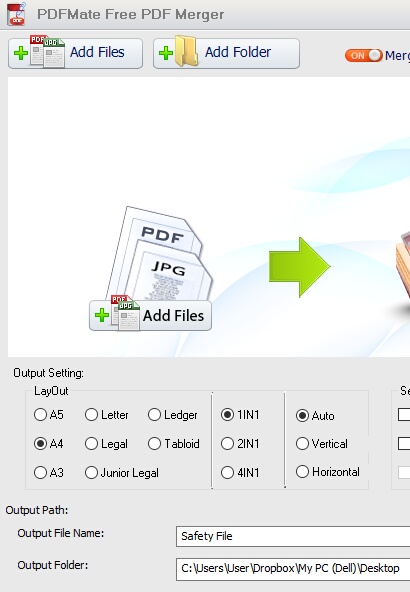
There are free tools to do this. We like PDF mate free PDF merger (https://www.pdfmate.com/free-pdf-merger.html).
TIP: See settings below:
PLEASE NOTE:
For a safety file to be effective, documents need to be signed.
If you print directly to PDF, the documents will not be signed.
However, it is common practice to send a safety file by PDF for the client to approve the CONTENT, and allow you to submit the signed file later.
You can also print all the documents, present them to the relevant employees, get them signed, and then scan ALL documents using the methods stated above. This is a safer method if you need approval.